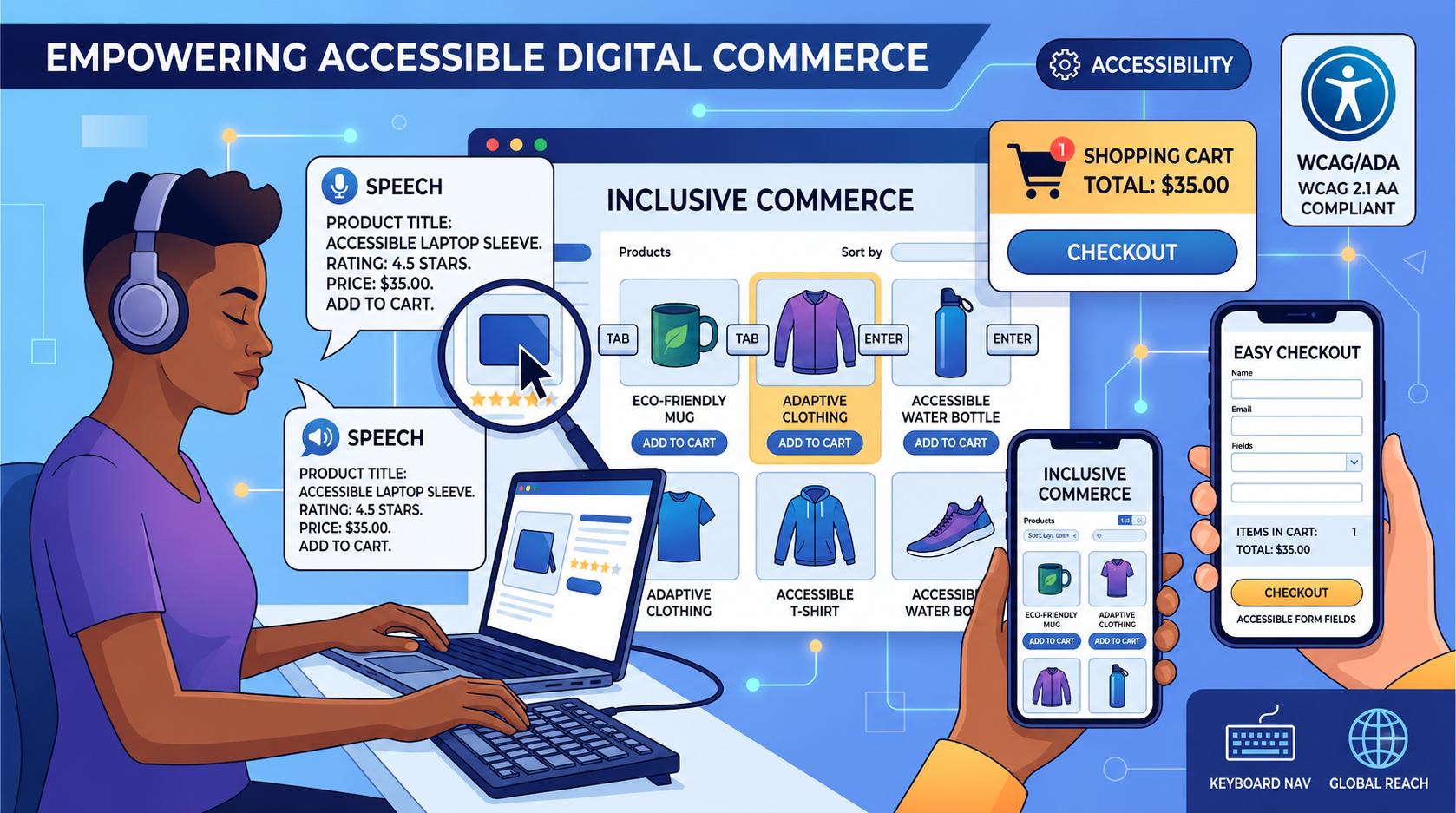
Introduction : ADA Compliance for E-Commerce Websites
The internet has made shopping an everyday part of life. Online shopping sites allow customers to search for products, compare prices, place orders pay for purchases, and monitor delivery from any location and at any moment. Due to this, access has been a key element in delivering a more enjoyable shopping experience on the internet.
A website for e-commerce must be accessible to everyone to access, including those who have disabilities. If customers are unable to browse the product pages, apply filters or complete checkout forms or get vital information, they might quit the site without making purchases.
ADA compliance allows businesses to build accessible websites that increase the user experience, eliminate barriers to digital technology, and offer the same access to all users.
What Is ADA Compliance?
ADA is the acronym for Americans with Disabilities Act. It was originally a law that concentrated on accessibility for physical users however, accessibility to digital devices is becoming more important since more companies are moving online.
Online stores, ADA compliance means making certain that people who have disabilities are able to:
- Access content from the website
- Explore items
- Use menus to navigate
- Make use of carts to shop
- Purchases made completely on their own
Web sites that have accessibility help give everyone equal accessibility to online services for shopping and online experiences.
Why ADA Compliance Matters for E-Commerce Websites
The internet should be open for everyone.
The majority of users trust:
- Screen readers
- Keyboard navigation
- Voice commands
- Zoom tools
- Transcripts and captions
In the absence of accessibility Users may have difficulty:
- Locate products
- Read descriptions
- Utilize filters
- Input payment details
- Follow the checkout process to the letter.
Accessibility issues can cause irritation, carts that are not used, and even lost customers.
Benefits of ADA-Compliant E-Commerce Websites
Improved accessibility is beneficial to both companies as well as customers.
Better User Experience
Websites that are accessible include:
- Easier to use
- It is easier to grasp
- A lot more user-friendly
Clean layouts, easy to read text, and easy navigation make shopping easier to everyone.
Wider Customer Reach
Many people depend daily on access features.
A store that is accessible online could be more effective in supporting:
- Disability-related people
- Adults who are older
- Mobile users
- Users who suffer minor injury
It helps companies get their message across to a wider public.
Improved SEO Performance
Numerous accessibility enhancements also help SEO best techniques.
Examples include:
- Proper heading structure
- Alt text in images
- Design that is mobile-friendly
- Faster loading speed
- Navigation clear
The search engines tend to favor sites with better accessibility and users' experience.
Stronger Brand Reputation
Businesses that are reputable and trustworthy will be admired by customers. inclusiveness and accessibility.
E-commerce sites that are accessible often create:
- More trust in the customer
- Better engagement
- A stronger brand image
Common Accessibility Issues in E-Commerce Websites
Some online stores have access barriers that limit usability.
Missing Alt Text for Product Images
The images of the product should be accompanied by relevant alt text, so that users of screen readers are able to comprehend the visual information.
Excellent example:
"Black leather backpack with adjustable straps"
Poor example:
"IMG001.jpg"
The accessibility of product descriptions increases usability as well as image comprehension.
Difficult Navigation Menus
A majority of online stores contain:
- Dropdown menus
- Categories of Products
- Search filters
- Navigation panels
If these functions do not perform properly when used with keyboards and screen readers, users might have trouble browsing the internet.
Poor Color Contrast
Text with low contrast can cause:
- Product descriptions
- Prices
- Buttons
- Information on how to check out
it is hard to understand.
Clear contrast enhances the readability of any user.
Complicated Checkout Forms
Forms for checking out should be easy and easy to access.
The most frequent problems are:
- Labels for forms that are missing
- Unclear error messages
- Keyboard traps
- Complex CAPTCHA system
The issues could stop buyers from making purchases.
Product Filters That Are Hard to Use
A lot of online stores employ filters that allow for:
- Size
- Color
- Price
- Brand
- Ratings
Filters are required to work correctly using keyboards and screen readers to allow users to navigate products on their own.
Videos Without Captions
The videos of the product should have captions that are accessible to those who are difficult to hear.
Captions are also improved
- Accessibility to content
- User engagement
- Mobile usability
Key Accessibility Features for E-Commerce Websites
Making an online store accessible is about improving many aspects of the user experience.
Keyboard Accessibility
The users should be able to:
- Shop for the products
- Open menus
- Include items in the cart
- Finalize your checkout
by using the keyboard only.
Focus indicators that are visible help users locate their position within the webpage.
Screen Reader Support
Screen readers must be equipped to:
- Read product details
- Browse the categories
- Access to forms
- Review cart details
- Complete purchase
The well-structured labels and headings enhance accessibility for screen readers.
Accessible Forms
Formulas must include:
- Clear labels
- Practical instructions
- Readable error messages
- Logical order of focus
Forms that are accessible improve the ease of checkout and decrease confusion.
Mobile Accessibility
A lot of people shop with tablets and smartphones.
Mobile accessibility refers to:
- Responsive layouts
- Text that is readable
- Touch targets with accessibility
- Simple navigation
- Screen reader assistance
The accessibility of mobile apps can improve the satisfaction of customers.
Proper Heading Structure
The clear structure of headings helps:
- Users browse content
- Screen readers can read pages
- Search engines are a way to organize data
A well-organized website improves usability and SEO.
Accessible Buttons and Links
However, buttons and links must be designed with distinct labels.
Some good examples are:
- "Add to Cart"
- "View Product Details"
- "Proceed to Checkout"
Avoid unclear labels like:
- "Click Here"
- "Read More"
Descriptive labels improve user experience.
Accessibility Testing for E-Commerce Websites
A regular accessibility test helps in identifying the barriers that impact customers.
Automated Accessibility Testing
Automated tools can identify issues for example:
- Text missing from alt
- Lackluster color contrast
- Links that are empty
- Form labels missing
Manual Accessibility Testing
Manual testing helps evaluate:
- Screen reader functionality
- Keyboard navigation
- Checkout experience
- Real user interaction
Both methods of testing are crucial for a precise accessibility evaluation.
Accessibility and WCAG Guidelines
Numerous businesses comply with WCAG (Web Content Accessibility Guidelines) to increase accessibility of digital content.
These guidelines are focused on creating web pages:
- Perceivable
- Operable
- Easy to grasp
- Reliable
WCAG standards increase accessibility and ease of use.
Why Accessibility Improves Online Sales
The accessibility of shopping helps businesses lower barriers to entry into the purchase process.
Improvements in accessibility can result in:
- Lower cart abandonment
- Better engagement
- Easier navigation
- Quicker check-out
- Improved customer satisfaction
If shoppers can easily shop it is more likely to purchase.
Common ADA Compliance Mistakes in Online Stores
The most frequent accessibility issues are:
- Text missing from alt
- Lack of keyboard support
- Low contrast in color
- The most difficult pop-ups
- The complex navigation
- Unusual checkout forms
- Missing video captions
By fixing these issues, you can create a an improved shopping experience for everyone.
Final Thoughts
ADA compliance is a crucial aspect of creating an accessible and a user-friendly online store. Stores that have accessibility features allow users to navigate through products, purchase items and use the shopping platform more efficiently and without hassle.
Enhancing accessibility by providing improved access to information, better screen reader compatibility and accessible formats, as well as clear contrast, and a mobile-friendly style will benefit both the business and its customers.
Accessibility does not just concern satisfying demands. It's about creating an online shopping experience that works for all.