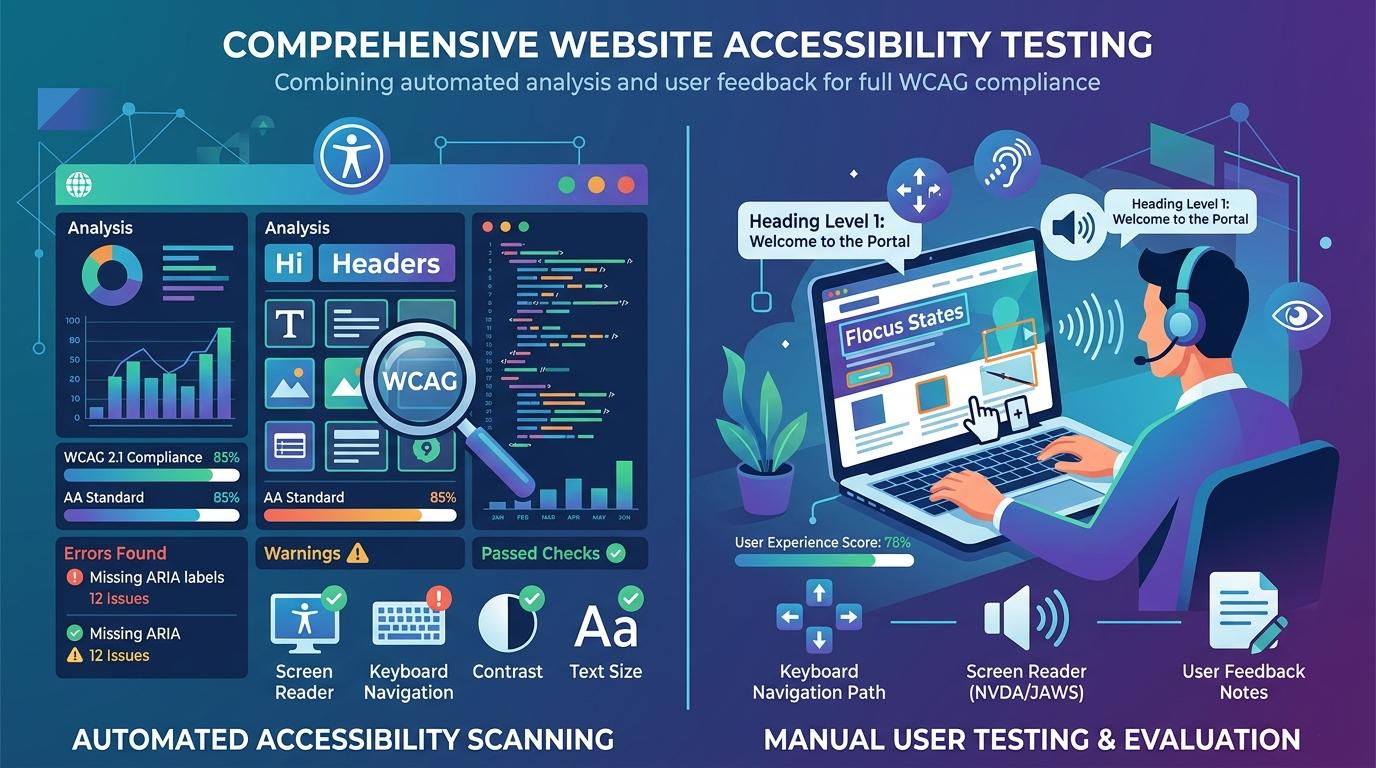
Introduction:Manual Accessibility Testing vs Automated Testing Tools
Testing accessibility is a crucial part in creating accessible digital experiences that are beneficial for all. With businesses increasingly placing a greater emphasis on accessibility to their websites, testing sites as well as applications for accessibility concerns is now an integral element of web development today.
The most frequent question that many companies are asked is this:
Testing for accessibility should be done manually or using automated tools for testing?
It is easy to answer Both approaches are required.
Tools for accessibility testing that are automated can rapidly identify accessibility problems across many web pages. Manual testers as well as human testers are able to assess the real issues facing users that automated testing tools cannot recognize.
Knowing the distinction between accessibility tests that are manual as well as automated accessibility testing can help organizations design user-friendly, accessible and WCAG-compliant products.
What Is Accessibility Testing?
Testing for accessibility is the method to determine if websites, apps, websites, or other digital platforms can be used by those with disabilities.
The objective of testing accessibility is to identify the barriers that hinder users by:
- Visual impairments
- Hearing impairments
- Motor disabilities
- Cognitive disabilities
Tests for accessibility help ensure that users are able to:
- Access web pages quickly
- Utilize menus, forms and templates.
- Access content with multimedia
- Engage with the interface on your own.
Testing can also help ensure the compliance of accessibility standards, like accessibility standards like the Web Content Accessibility Guidelines (WCAG) and other guidelines for accessibility to content WCAG frameworks.
What Is Automated Accessibility Testing?
Automated accessibility testing employs automated software and testing techniques to look over webpages and spot accessibility problems automatically.
They analyze the website's code and find issues such as:
- The alt text is missing
- Alt attribute problems
- Color contrast is poor.
- No links or buttons
- Form labels missing
- Heading structures that are incorrect
- Invalid ARIA attributes
Test tools that automate testing can swiftly analyze large websites and produce accessibility audits in just a few minutes.
Benefits of Automated Accessibility Testing Tools
Fast and Efficient Testing
Test tools that are automated can scan thousands of websites in a matter of minutes.
It helps teams:
- Save development time
- Be aware of accessibility issues in the early stages
- Enhance the effectiveness of testing
- Conduct continuous accessibility check-ups
Ideal for Large Websites
Large websites run by organizations are greatly benefited by test automation since manually examining every webpage would take up a significant amount of time and effort.
Easy Integration Into Development Workflows
Numerous accessibility testing tools can be integrated directly into
- Browsers
- Development environments
- CI CD pipeline workflows
- Systems for quality assurance
Developers can identify accessibility issues early throughout the development cycle.
Useful for Repetitive Accessibility Checks
Testing with automated technology is particularly effective in identifying recurring technical issues for example:
- The alt text is missing
- Alt attribute issue
- Failures of color contrast
- The buttons that have been emptied
- Invalid ARIA labels
Automated testing is also a great complement to the api testing and UX testing procedures by enhancing quality of accessibility during the creation.
Limitations of Automated Accessibility Testing
While automated tools can be highly useful, they can't find every accessibility problem.
Accessibility barriers that are difficult to overcome need human judgement, assistance technology testing and communication with actual users.
Testing tools that are automated often have difficulty to assess:
- User experience quality
- Clarity of content
- Screen readers that work with the device.
- Keyboard navigation flow
- Logical reading sequence
- Quality of alt text and its relevance
- Usability of user interfaces
A computer tool can determine that alt text exists, however it is unable to determine the significance of the text to screen readers, or is useful for people who are visually impaired.
What Is Manual Accessibility Testing?
Manual accessibility testing involves humans as users who review websites and apps by using accessibility guidelines, technology for assistive use and methods of interaction in real life.
Manual testers evaluate:
- Access to keyboards
- Structure of navigation
- Screen readers compatible with screen readers
- User interface interaction
- Accessibility of forms
- Content readability
- Overall user experience
In contrast to automation, manual accessibility testing is focused on the way actual users use digital devices.
Benefits of Manual Accessibility Testing
Better User Experience Evaluation
Human test subjects can tell if websites are really simple to navigate.
They may be able to evaluate:
- Clarity of navigation
- Content readability
- Points of confusion for the user
- Interaction challenges
- Overall user experience
Real Screen Readers Testing
Manual testing lets teams examine websites by using screens readers and other assistive technologies like:
- NVDA
- JAWS
- VoiceOver
- TalkBack
This can help identify accessibility issues that automated systems typically overlook.
More Accurate Keyboard Accessibility Testing
Access to keyboards is crucial for those who do not have access to an actual mouse.
Manual testers are able to verify:
- Focus visibility
- Proper tab - order
- Accessible menus
- Form navigation capability
Better Context Evaluation
Accessibility goes beyond verification of code.
Human tests can be used to determine the following:
- Alt text descriptions can be meaningful
- The instructions are simple to follow.
- The navigation process is rational
- Interactive elements work correctly
The context-specific evaluation can be difficult for automated systems.
Limitations of Manual Accessibility Testing
Time-Consuming Process
The manual accessibility test takes considerably longer time than scanning that is automated.
Test large quantities of websites manually could turn into a resource-intensive process.
Requires Accessibility Expertise
Manual testing that is effective typically calls for the following knowledge:
- Standards for accessibility
- Web Content Accessibility Guidelines
- Technology for assistive devices
- Evaluation of user experience
If accessibility is not a priority, serious concerns could be left undiscovered.
Difficult to Scale Quickly
The manual testing method alone is not likely to be a good idea for websites with large amounts of traffic without automated accessibility instruments.
Automated Testing vs Manual Testing: Key Differences
Automated Testing
- Speedy scanning process
- Detects technical accessibility issues
- Ideal for repetitive testing
- Limited context understanding
- Easy to scale across multiple web pages
- Supports CI/CD pipeline integration
- Quickly identifies missing alt text and code errors
- Cannot fully replicate real-world users
- Best for large-scale accessibility checks
Manual Testing
- Human evaluation in detail
- Detects usability and user experience problems
- Ideal for real-world accessibility testing
- Better context evaluation
- Time-intensive process
- Tests actual user behavior and interactions
- Works effectively with screen readers and assistive technology
- Evaluates navigation clarity and keyboard accessibility
- Helps identify accessibility issues automated tools may miss
Both methods of testing support accessibility standards, and can lead to greater digital accessibility results.
Why Combining Both Methods Works Best
The most efficient accessibility method includes both manual accessibility testing as well as automated accessibility testing.
Automated Accessibility Testing Helps:
- Find issues with accessibility that are technical quickly
- Increase the efficiency of testing
- Support CI CD pipeline integration
- Monitor web pages continuously.
Manual Accessibility Testing Helps:
- Verify real user experience quality
- Enhance accessibility to the user interface
- Recognize barriers to screen readers users
- Evaluate assistive technology compatibility
Utilizing both of these methods in conjunction will result in a stronger and more robust accessibility auditing process.
Common Accessibility Issues Automated Tools Miss
Accessibility issues can be difficult for automatic systems to grasp fully.
Examples include:
- Text that is poorly written and alt text
- Uncertain navigation structures
- Incorrect form directions
- The keyboard is not focused correctly.
- Complex screen reader interactions
- Link labels that appear to be ambiguous
- Poor user interface design
The accessibility issues usually require tests that include real-life testers, real users as well as assistive technology.
Best Practices for Accessibility Testing
The accessibility testing of organizations can be improved through a balancing plan.
Use Automated Tools Regularly
Automated accessibility testing needs to be integrated into
- Website development
- Processes to ensure quality
- Testing UI
- Testing APIs
- Maintenance of the website
Perform Manual Keyboard Testing
Every site should be screened without using a mouse, to be sure:
- Menus function properly
- Formularies are available
- The focus indicators can be seen
Test With Screen Readers
Screen readers help companies determine how visually impaired visitors use web pages.
Review Accessibility During Design
The accessibility process should begin at:
- Design and planning
- Creation of content
- User interface development
It's not just after the website's launch.
Conduct Regular Accessibility Audits
A accessibility audit must be carried out regularly as accessibility is a process that continues.
Tests regularly help organizations spot the accessibility challenges that arise as sites evolve.
Why Accessibility Testing Matters for Businesses
Websites that are accessible improve the experience for every real user and not just those who are disabled.
Benefits are:
- Better user experience
- Usability improved
- Wider audience reach
- Brand trust is increased
- More SEO-friendly performance
- Accessibility barriers are lessened
- Stronger digital accessibility compliance
Organisations that place a high priority on accessibility standards usually create more accessible and user-friendly online experiences.
Final Thoughts
Testing accessibility manually and using automated accessibility testing tools are essential to making digital accessibility more accessible.
Automated testing tools allow you to find accessibility issues with speed. Manual testers offer more insight into the actual users' experience as well as assistive technology accessibility.
Using only one test technique can leave critical accessibility problems unsolved. Combining these two methods creates an accessibility plan that is more comprehensive which is compatible with accessibility standards. It enhances the user experience and helps ensure that web pages are easily accessible to everyone.
Accessibility doesn't just concern conformity. It's about creating accessible digital experiences for all actual users are able to access as well as be able to navigate with confidence.